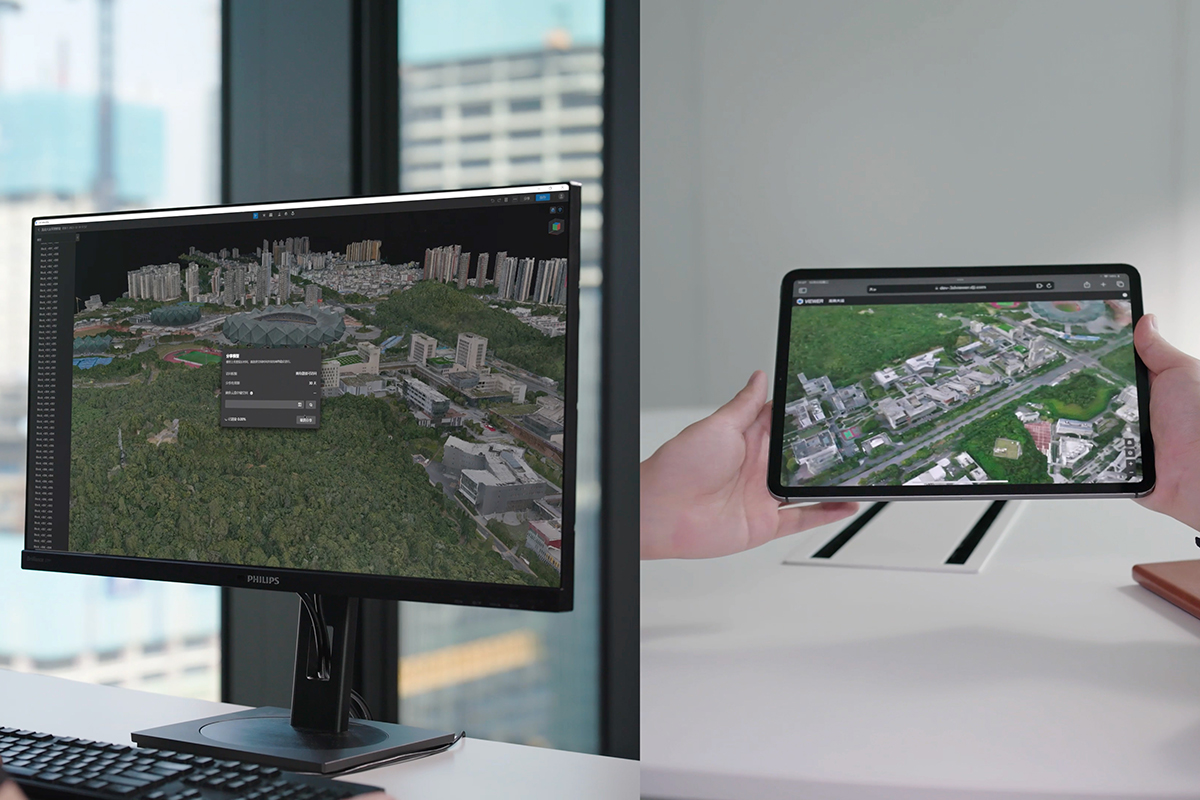
DJI introduced its first intelligent 3D model editing software, DJI Modify. It features a streamlined and intuitive interface that makes it simple to complete model editing efficiently.
DJI Modify
DJI's FIRST INTELLIGENT 3D MODEL EDITING SOFTWARE
Revolutionizing Countless Applications
Paired with a DJI enterprise drone and DJI Terra, it forms a comprehensive solution from aerial surveying, modeling, and model editing to sharing these models easily to meet operational needs in surveying and mapping, firefighting, emergency response, and transportation.
SPEAK WITH AN EXPERT

DJI Terra and DJI Modify Seamless Workflow

Streamlined Interaction, Quick Review

Floating Parts Removal

Flattening

Texture Repair

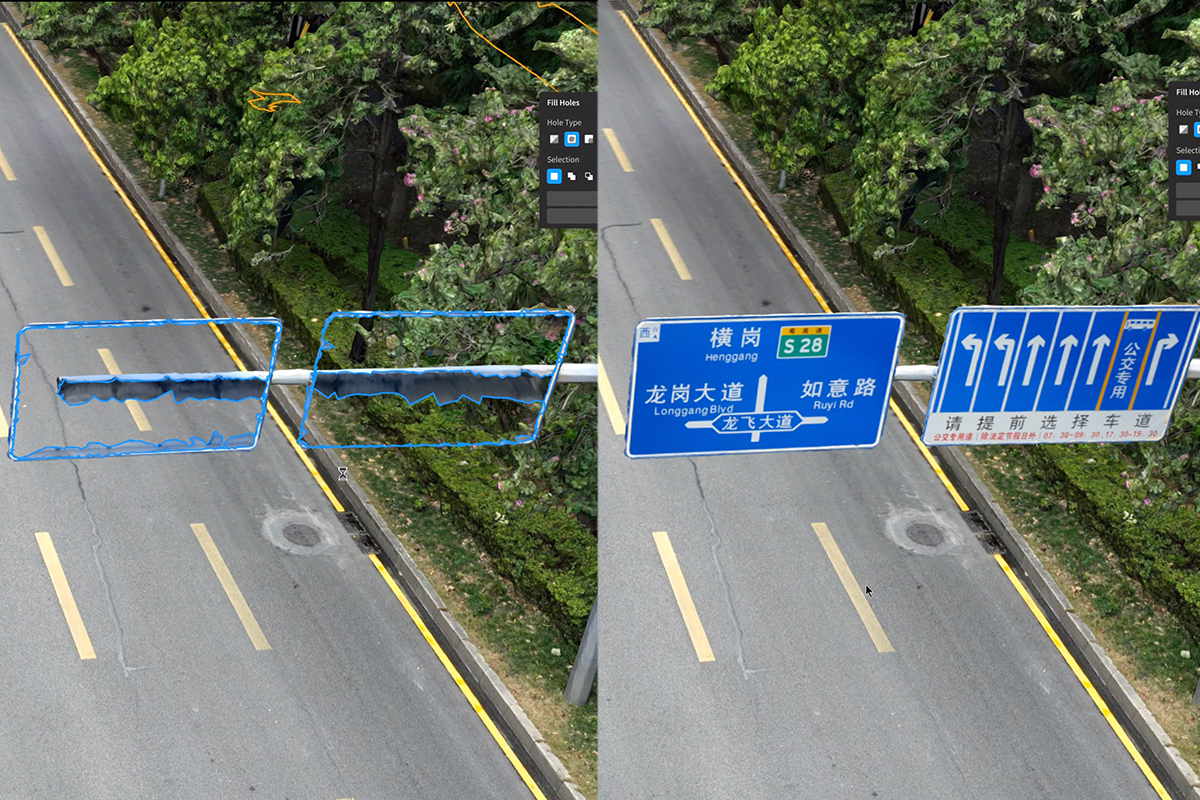
Hole Fill

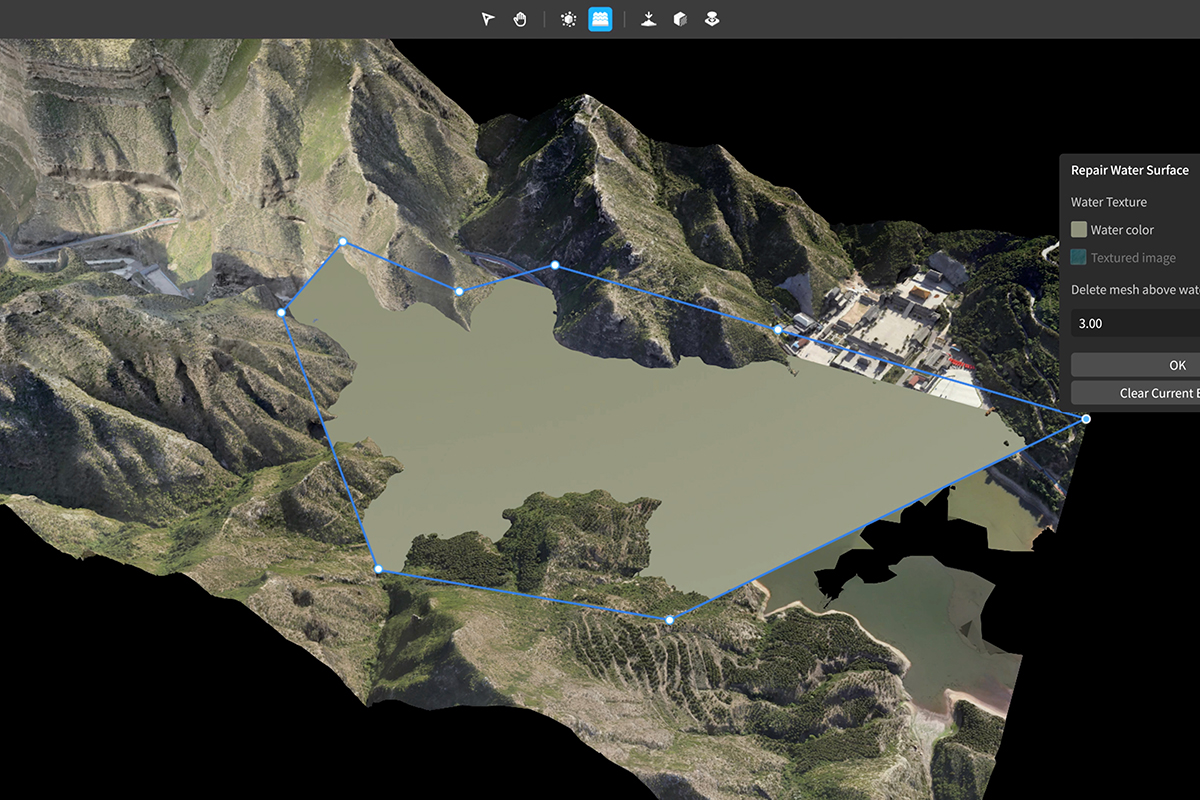
Water Surface Repair

Cloud Sharing
Cutting-Edge 3D Model Editing Software
DJI Terra and DJI Modify Seamless Workflow
In a DJI Terra 3D modeling project, you can launch DJI Modify with one click for model editing for an efficient workflow and an end-to-end solution from modeling to model editing. In DJI Terra, enable the DJI Modify switch, and files for model editing will be automatically generated, including pre-identified objects and pre-processing of the model, so that you can complete model editing efficiently.
Streamlined Interaction
DJI Modify’s streamlined interface fosters a more intuitive interaction. Get started rapidly without investing extensive effort to get familiar with the software. Intuitive controls and practical, easy-to-use editing tools reduce manual effort, simplifying the model editing process.
Efficient 3D Model Repair
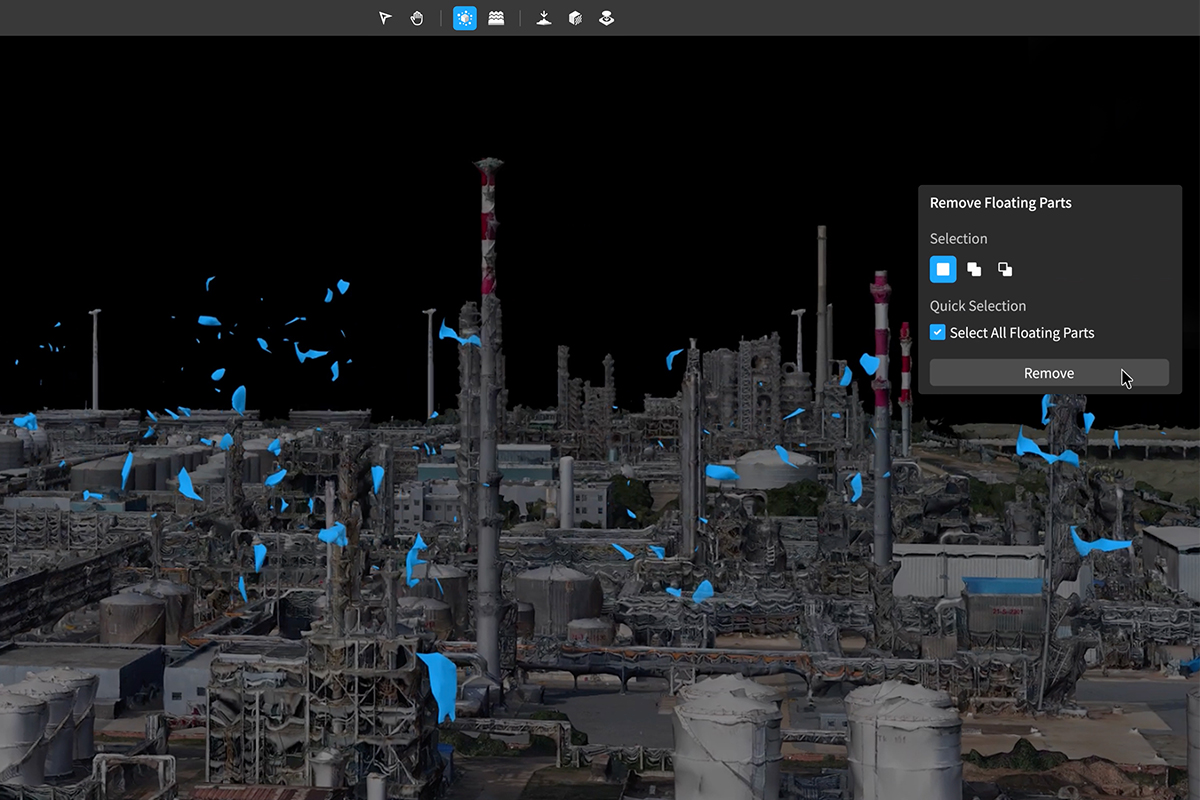
Flexibly select floating parts by framing and clicking. Additionally, users can group the selection results (using “Add to” or “Subtract from”). These selections do not require loading a high-quality model. DJI Modify can also automatically detect and select the floating parts so you can delete them with one click.
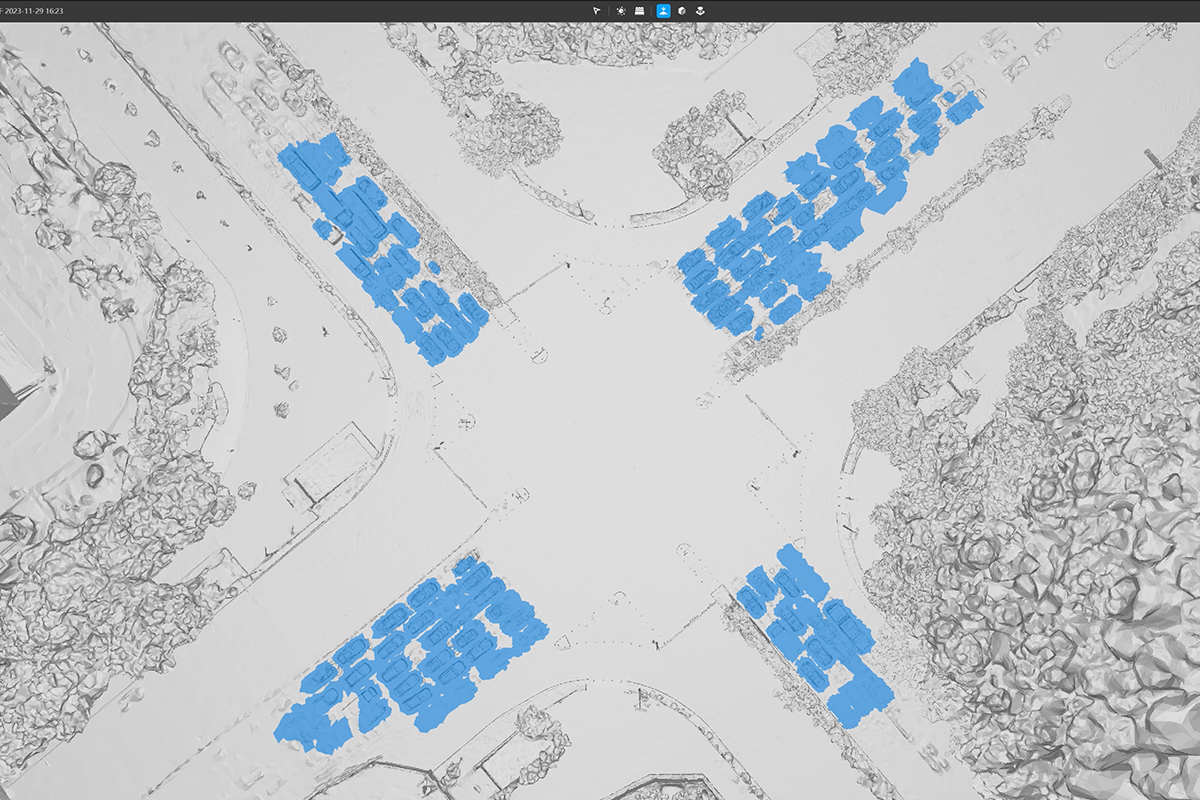
Simple Object Selection: Draw a polygon to select a region or group the selection results (using “Add to” or “Subtract from”). Flatten selected meshes with a single click without presetting complex parameters.
Rapid Model Repair: Vehicles are automatically recognized for quick selection and one-click flattening.
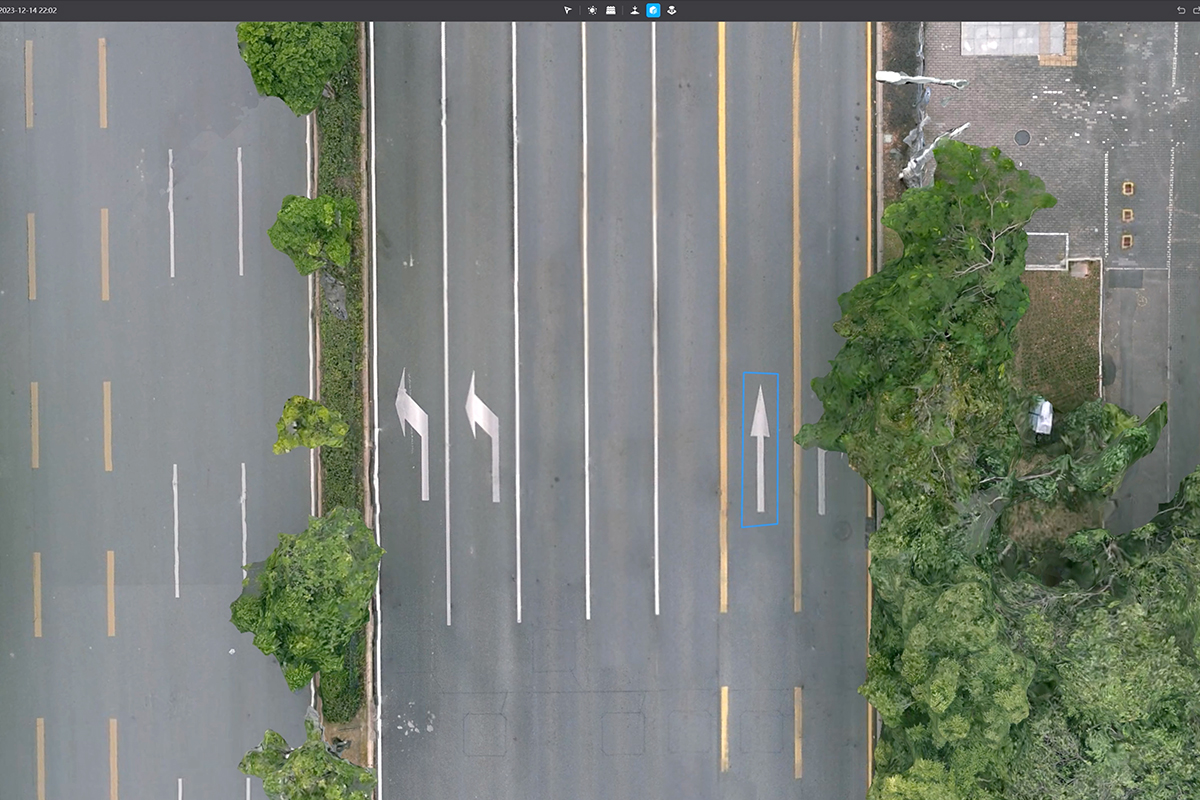
The built-in erase and clone tools allow for swift and high-quality texture editing of automatically or manually selected regions, all with a simple click, significantly improving the efficiency.
Hole Detection: Automatically and accurately identifies holes in the model, outlining and highlighting the contours to eliminate the need for manual work.
One-Click Solution: Simplified hole filling with frame select, click select, or custom hole selection. One-click filling with automatic texturing for a seamless blend.
Draw the water surface region and adjust parameters like range and height as needed. The software applies texture or intelligent color fills to swiftly generate smooth water surfaces that integrate seamlessly with the model.
DJI Modify renders and exports models rapidly in many formats, such as ply, obj, and b3dm, which are compatible with DJI Terra and third-party software. Processed models can be quickly shared to the cloud, so others can view them online on the web or mobile via shared links without installing any software.